

OkNex by Oktrix:
The Connected Business Layer for AutoCount
Connect Operations. Move Business Forward.
Sell. Pick. Deliver. See the Bigger Picture.
Your business runs on more than accounting software.
OkNex by Oktrix extends your existing on-premise AutoCount Accounting system into mobile sales, warehouse operations and business intelligence.
Give your teams access to connected workflows, reduce repetitive data entry and gain better visibility into everyday operations without replacing your core accounting system.
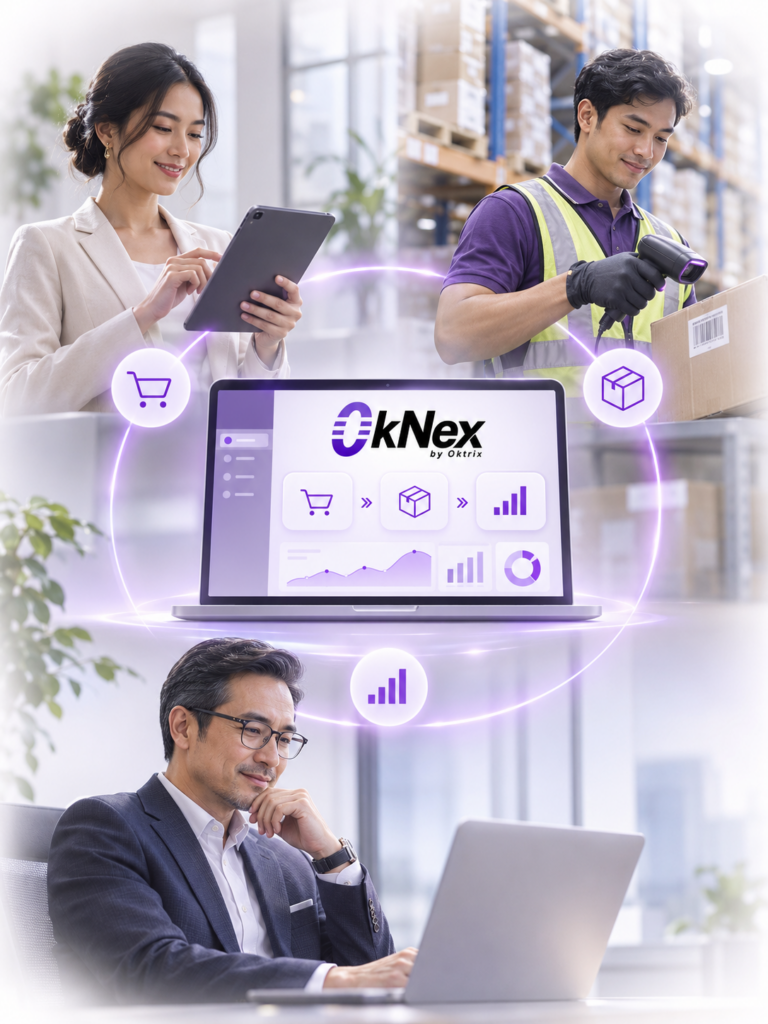
From salespeople on the road to warehouse teams and management, OkNex helps connect the different parts of your business.
Is Your AutoCount Connected to the Way Your Business Operates?
AutoCount may already manage your financial records and business transactions. But activities outside the accounting system can still involve disconnected processes, spreadsheets and manual updates.
Sales Teams Work Outside the Office
Salespeople need access to customer information, sales documents and stock details while visiting customers or working on the road.
Warehouse Processes Remain Manual
Goods receiving, picking, stock movements and delivery preparation may still depend on paperwork or separate spreadsheets.
Repeated Data Entry
Transactions recorded outside AutoCount often require additional manual entry, creating unnecessary work and opportunities for errors.
Limited Operational Visibility
Management needs clearer information about sales performance, stock movements and business operations without manually combining multiple reports.
Disconnected Departments
Sales, purchasing, warehouse and finance teams may have different records or workflows, making coordination more difficult.
Inventory Planning Challenges
Understanding stock movement, identifying slow-moving items and planning replenishment can require additional analysis.
OkNex helps connect these operational activities with your existing AutoCount environment.
Extend AutoCount Beyond Accounting
OkNex by Oktrix is a connected business operations solution designed to work alongside compatible on-premise AutoCount Accounting systems.
It extends the use of your existing business information into activities performed by sales teams, warehouse staff and management.
Rather than replacing AutoCount, OkNex gives businesses additional ways to work with their existing data and transactions.
Mobile Sales & Van Sales
Support sales activities beyond the office through connected sales documents, customer information and van sales workflows.
Warehouse Operations
Bring more structure to goods receiving, picking, deliveries, stock movements and inventory processes.
Business Intelligence
Turn relevant AutoCount information into dashboards, reporting and insights that help management understand business performance.
The idea is simple: keep AutoCount as your core system and extend its value into daily business operations.
Empower Your Sales Team Beyond the Office
Your salespeople should not always need to return to the office to complete business transactions.
OkNex provides browser-based sales functionality that allows authorised users to work with supported sales processes through compatible phones, tablets and computers.
Sales Documents on the Go
Create and manage supported quotations, sales orders, cash sales, invoices and receipts without relying entirely on office-based processing.
Van Sales Management
Support sales activities from delivery vehicles, including applicable stock loading, unloading and van-related transactions.
Customer Information
Access relevant customer details, transaction records and account information according to assigned user permissions.
Express Sales Processing
Simplify selected sales transactions with supported features such as barcode scanning and express cash sales.
Salesperson & Location Visibility
Allow authorised users to review relevant documents and activities based on their roles and assigned locations.
Connected AutoCount Transactions
Keep supported sales documents and transactions connected with the existing AutoCount environment.
Spend more time serving customers and less time repeating administrative work.
Available functionality depends on the selected OkNex package and configuration.
Make Warehouse Operations More Connected and Traceable
Efficient warehouse operations depend on knowing what has arrived, what needs to be picked, what has moved and what is ready for delivery.
OkNex supports connected warehouse workflows that help teams manage these activities with clearer transaction records.
Goods Receiving
Record incoming goods through supported receiving workflows, including goods received notes involving multiple purchase orders.
Guided Picking
Help warehouse staff locate relevant stock items and quantities through guided picking processes.
Delivery Processing
Support sales order fulfilment, including partial delivery orders and related delivery documentation.
Stock Transfers
Manage supported stock transfers between locations while maintaining relevant transaction records.
Stocktaking & Stock Enquiry
Review stock information, carry out stock counts and manage relevant reconciliation or adjustment processes.
Consignment Management
Support selected consignment activities, including stock reconciliation and the related sales or inventory adjustments.
Connect physical warehouse activities with the business information maintained in AutoCount.
Specific workflows depend on the chosen modules and agreed implementation scope.
Turn Business Data Into Better Decisions
Your business already generates valuable information through sales, purchasing, inventory and accounting transactions.
The challenge is turning that information into useful insights.
OkNex can support connected reporting and business intelligence through tools such as Microsoft Power BI, helping management understand performance across different areas of the business.
Sales Performance
Analyse relevant sales activity by salesperson, product, location, outlet or channel.
Inventory Analysis
Review stock balances, stock movements, inventory performance and slow-moving products.
Purchasing Insights
Understand purchasing activity, supplier-related information and relevant procurement trends.
Stock Forecasting
Use historical business information to support stock planning, replenishment and suggested reorder quantities.
Financial Visibility
Review selected financial indicators, customer balances, profitability and business performance.
Management Dashboards
Bring relevant information together into dashboards designed around management and departmental reporting needs.
Move from scattered reports to a clearer view of your business.
Dashboard requirements, data models and Microsoft Power BI licensing are assessed separately according to the project scope.

Connected With Your Existing AutoCount System
OkNex works alongside your existing compatible on-premise AutoCount Accounting environment.
It uses AC Gateway to exchange supported business information and transactions with AutoCount.
Simple Connection Architecture
OkNex by Oktrix
Mobile Sales | Warehouse Operations | Business Intelligence
↓
AC Gateway
Connectivity & Data Exchange
↓
On-Premise AutoCount Accounting
Accounting | Sales | Purchasing | Inventory
Powered by AC Gateway
AC Gateway provides the technical connectivity required for OkNex to communicate with compatible AutoCount systems.
The required AC Gateway connectivity is packaged together with OkNex, so businesses can adopt the connected solution without purchasing the gateway as a standalone product.
AC Gateway can also support integration with other compatible software, subject to technical feasibility and a separately agreed integration scope.
OkNex remains the business solution. AC Gateway is the technology that connects it.
From Sales to Warehouse to Management
Business operations rarely happen in isolation.
A sales order affects stock availability. Warehouse activities affect deliveries. Completed transactions contribute to management reporting.
OkNex helps bring these activities into a more connected working environment.
Sales Team
Create & Process Sales Transactions
Your sales team can prepare supported sales documents and review relevant business information through OkNex.
Connected transactions can then be exchanged with AutoCount through the configured workflow.
Warehouse Team
Receive, Pick & Deliver
Warehouse staff can manage supported receiving, picking, stock movements and delivery activities.
Relevant transaction information is kept connected to the existing AutoCount environment.
Management Team
Monitor & Analyse Performance
Management can review selected sales, inventory, purchasing and financial information through connected reporting and dashboards.
This supports better visibility into daily operations and business performance.
One connected approach, from everyday transactions to management decisions.
Explore More AI-Powered Solutions for AutoCount
Beyond OkNex, Oktrix offers two additional paid AI-powered solutions designed to reduce manual financial and administrative work.
These solutions are separate products and are not included in OkNex.
Trade Pilot — AI Document Automation
Automate supplier invoice and customer purchase order processing with AI-assisted data extraction, matching, validation and approval workflows. Trade Pilot is a separate paid solution, packaged with the required AC Gateway connectivity.
Claim Pilot — AI Expense Management
Simplify employee expense claims with AI-powered receipt reading, policy checks, approval workflows and supported AutoCount transactions. Claim Pilot is a separate paid solution, packaged with the required AC Gateway connectivity.
Both solutions are available independently of OkNex, with separate licensing and pricing.
Why Extend AutoCount With OkNex?
OkNex helps businesses make better use of their existing AutoCount environment by connecting additional operational activities.
Protect Your Existing Investment
Extend your existing on-premise AutoCount system instead of replacing the core accounting environment.
Reduce Repetitive Work
Connect supported transactions and workflows to minimise unnecessary manual data entry.
Improve Sales Productivity
Give authorised salespeople access to relevant functionality while working outside the office.
Strengthen Warehouse Processes
Introduce more structured receiving, picking, stock movement and delivery workflows.
Improve Business Visibility
Bring selected sales, inventory and financial information into more accessible management reports.
Grow With Your Requirements
Begin with the OkNex capabilities your business needs and explore additional supported functionality as operations develop.
More connected operations without rebuilding your entire accounting environment.
Built Around Different Business Operations
OkNex can support businesses across different industries, depending on their existing AutoCount environment and operational requirements.
Trading Businesses
Manage relevant sales, purchasing and inventory workflows with information connected to AutoCount.
Wholesale & Distribution
Support mobile sales, van sales, warehouse processes and delivery-related operations.
Retail & Multi-Outlet Operations
Improve visibility across supported sales activities, locations and stock movements.
Warehouse-Intensive Businesses
Introduce connected goods receiving, picking, transfers, stocktaking and other warehouse workflows.
Multi-Department Organisations
Help sales, warehouse, purchasing, finance and management teams work with more connected information.
Data-Driven Businesses
Build more useful reporting and dashboards around existing sales, inventory and financial information.
OkNex suitability depends on your operational requirements and system compatibility, not simply the size of your company.
More Than Connecting Software
A successful business solution should fit the way your team works.
Oktrix helps businesses review their current processes, identify operational challenges and determine how OkNex can be introduced into the existing AutoCount environment.
Business Requirement Consultation
We discuss your current business operations, challenges and expected improvements.
Workflow Assessment
We review relevant sales, warehouse and reporting processes before recommending the appropriate solution.
Solution & Module Recommendation
We help identify the OkNex functions and configuration suited to your business requirements.
Implementation & Configuration
We coordinate the agreed application setup and the required connection with your AutoCount environment.
User Training
We guide your team through the relevant workflows and system functions needed for daily operations.
Support & Future Improvements
We support the agreed implementation and help assess additional requirements as your business evolves.
A Practical Approach to Connected Business Operations
Every business has different processes and requirements.
Our implementation approach focuses on understanding your existing environment and preparing the solution around the agreed scope.
1. Discover
Review the existing AutoCount setup, operational challenges and business requirements.
2. Assess
Evaluate the required OkNex features, system compatibility, users and workflow dependencies.
3. Plan
Confirm the proposed solution, implementation scope, configuration and rollout approach.
4. Configure & Connect
Set up the relevant OkNex functionality and its required AC Gateway connection.
5. Test & Train
Test the agreed transaction flows and provide training to relevant users.
6. Go Live & Support
Prepare the solution for operational use and provide support based on the agreed service scope.
Frequently Asked Questions About OkNex
What is OkNex by Oktrix?
OkNex by Oktrix is a connected business operations solution that extends compatible on-premise AutoCount Accounting systems into mobile sales, van sales, warehouse operations and business intelligence.
It helps businesses connect everyday operational activities with their existing accounting environment.
Does OkNex replace AutoCount Accounting?
No. OkNex works alongside compatible on-premise AutoCount Accounting installations.
AutoCount remains the core accounting system, while OkNex extends selected operational processes and reporting capabilities.
What are the main features of OkNex?
OkNex focuses on mobile sales, van sales, warehouse operations and business intelligence.
Available features include supported sales transactions, stock receiving, guided picking, inventory movements, dashboards and stock forecasting, depending on the chosen package and configuration.
Can OkNex support mobile sales and van sales?
Yes. OkNex can support sales activities outside the office, including relevant sales documents and van-related inventory transactions.
The available workflows depend on the selected configuration.
Does OkNex include warehouse management capabilities?
Yes. Supported warehouse functionality includes goods receiving, guided picking, stock transfers, stocktaking, delivery processes and selected consignment workflows.
Can OkNex provide management dashboards?
Yes. OkNex can support business intelligence and reporting requirements using tools such as Microsoft Power BI.
Dashboard design, data models and applicable software licensing depend on the agreed scope.
What is AC Gateway, and do I need to purchase it separately?
AC Gateway is the connection technology used by OkNex to communicate with compatible on-premise AutoCount Accounting systems.
The required AC Gateway connectivity is packaged with OkNex. It is not offered as a standalone product.
Can AC Gateway integrate with other business software?
AC Gateway has the technical capability to support integration with compatible third-party software.
Such integrations require a separate assessment of available APIs, data requirements, compatibility and implementation scope.
They should not be assumed to be included in the standard OkNex package.
Are Trade Pilot and Claim Pilot included in OkNex?
No. Trade Pilot and Claim Pilot are separate paid AI automation solutions offered by Oktrix.
Trade Pilot focuses on supplier invoice and customer purchase order processing, while Claim Pilot supports employee expense claims and approval workflows.
Each solution is separately priced and packaged with the AC Gateway connectivity it requires.
Can I purchase Trade Pilot or Claim Pilot without OkNex?
Yes, subject to compatibility and the relevant product requirements.
Trade Pilot and Claim Pilot are separate paid solutions and do not require the purchase of OkNex itself.
Is OkNex a cloud accounting system?
No. OkNex is not a replacement cloud accounting system.
It provides connected business functionality around compatible on-premise AutoCount Accounting installations.
Can OkNex work with any version of AutoCount?
Compatibility must be assessed.
Oktrix will review your existing AutoCount version, licensing and technical environment before recommending a suitable configuration.
Can OkNex support multiple users and locations?
Supported OkNex configurations can accommodate different user responsibilities and operational locations.
The available capabilities, permissions and licensing requirements depend on the selected package and implementation scope.
Can OkNex provide real-time data synchronisation?
Supported OkNex transactions can be exchanged with AutoCount through AC Gateway.
Actual synchronisation behaviour depends on the workflow, network connectivity, system availability and configuration.
Is OkNex suitable for larger businesses?
OkNex can be considered by businesses of different sizes, including organisations with more complex sales, warehouse and reporting requirements.
Suitability depends on the existing system environment, required functionality, operational volume and implementation scope.
How much does OkNex cost?
OkNex pricing depends on the selected package, required functionality, users and implementation scope.
Oktrix can review your requirements and prepare a suitable proposal.
How do we get started with OkNex?
Tell us which AutoCount version you currently use and which business processes you want to improve.
We can review your requirements, discuss the relevant OkNex capabilities and recommend the next step.