

AutoCount POS 5.0 for
Retail & F&B in Malaysia
Smarter Checkout. Better Stock Control. Connected Business Operations.
More Than a Point of Sale System
Every transaction matters, whether you’re serving customers at a retail counter or managing orders in a busy restaurant.
AutoCount POS 5.0 helps Malaysian businesses handle sales transactions, payment processing, inventory and outlet operations through a connected point of sale system.
With dedicated Retail and F&B functionality, AutoCount POS supports different business workflows while connecting relevant sales and inventory information with AutoCount Accounting.
From individual counters to multiple outlets, Oktrix helps you select, configure and implement a suitable POS solution for your business.
Is Your POS System Helping or Slowing Down Your Business?
A point of sale system should do more than calculate payments.
It should help your team manage transactions accurately, maintain business records and support efficient daily operations.
Slow Checkout Process
Manual price checking, discounts and payment calculations can slow down service during busy periods.
Stock Information Is Inaccurate
Stock quantities may not reflect actual sales, creating additional work when checking inventory or planning purchases.
Multiple Outlets Are Hard to Monitor
Sales, pricing, promotions and stock information become more difficult to manage across different locations.
Sales Reports Take Too Much Time
Management spends unnecessary time collecting daily sales figures and consolidating outlet reports.
Retail Promotions Are Complicated
Different pricing, member discounts and promotional campaigns can be difficult to maintain consistently.
Accounting Records Are Disconnected
Daily sales information needs to be entered or reconciled separately in the accounting system.
A better POS system connects what happens at the counter with the information your business needs behind the scenes.
One POS Solution for Sales, Inventory and Business Management
AutoCount POS 5.0 is a point of sale solution designed for retail and food and beverage businesses.
It combines front-end transaction processing with relevant back-office functionality, helping businesses manage daily operations more effectively.
Depending on the selected edition and modules, AutoCount POS supports inventory management, promotions, outlet synchronisation, management reporting and integration with AutoCount Accounting.
Retail Point of Sale
Process retail transactions, manage pricing, discounts, memberships and supported retail sales workflows.
F&B Point of Sale
Manage restaurant orders, tables, kitchen communication and supported dine-in or takeaway operations.
Connected Back-Office Management
Maintain relevant sales, inventory and accounting information through the AutoCount POS back-end environment.
The idea is simple: keep AutoCount as your core system and extend its value into daily business operations.
Make Every Retail Transaction Easier to Manage
Retail businesses need fast transactions, accurate item information and practical tools for handling customers, promotions and stock.
AutoCount Retail POS provides functionality designed around these everyday requirements.
Fast Checkout & Barcode Scanning
Process supported retail transactions through a cashier-friendly interface with barcode scanning and item selection.
Flexible Pricing & Discounts
Configure relevant prices, discount rules, seasonal promotions and other supported promotional arrangements.
Membership & Loyalty
Maintain customer membership information, purchase history and supported loyalty or reward programmes.
Returns, Refunds & Exchanges
Handle applicable item returns, exchanges and refunds while maintaining relevant transaction records.
Sales Orders & Deposits
Manage supported sales orders, deposits, partial payments and deliveries for businesses that accept orders before fulfilment.
Retail Item Management
Support relevant item functions such as item packages, serial numbers, batch tracking, price checking and weighing-scale workflows where applicable.
Give your retail team practical tools to serve customers while maintaining better control over daily sales.
Individual features depend on the selected AutoCount POS edition, modules and hardware compatibility.
Keep Restaurant Orders and Service Moving
Restaurants, cafés and other food and beverage businesses need more than basic payment processing.
From accepting orders to managing tables and communicating with the kitchen, AutoCount F&B POS supports different service workflows.
Table & Floor Plan Management
Maintain supported restaurant table layouts, seating arrangements and table-related transactions.
Waiter Ordering
Use the supported eWaiter application to capture orders through compatible mobile devices and transmit them to the kitchen.
QR Self-Ordering
Allow customers to place supported orders through a QR code ordering interface without waiting for staff to take every order.
Kitchen Order Processing
Send relevant orders to kitchen printers or supported kitchen processing workflows, including applicable order changes.
Split Bills & Combined Bills
Support selected dine-in payment scenarios, including splitting and combining bills.
Menu, Set Meals & Modifiers
Manage menu items, set meals, item modifiers, pricing and relevant order customisation.
Help your front-of-house and kitchen teams work with more coordinated order information.
F&B features such as eWaiter, QR ordering and supported devices may require additional modules, subscriptions or configuration.
A More Efficient Checkout Experience
Fast, accurate checkout is important for both customers and cashiers.
AutoCount POS provides transaction and payment functions designed to simplify counter operations.
Multiple Payment Methods
Support relevant payment types, including cash, cards and configured alternative payment methods.
e-Wallet Payment Options
Explore compatible e-wallet and payment gateway integration options according to the available service arrangements.
Discounts & Promotions
Apply supported promotional rules, discounts and special pricing during transactions.
Receipt Printing
Generate and print relevant transaction receipts through compatible POS printing equipment.
Counter Closing
Review cashier transactions and relevant closing information through supported counter and daily sales reports.
Cashier Permissions
Manage applicable user permissions and supervisor controls for selected transaction and administrative functions.
Improve the checkout process while maintaining clearer transaction records and operational controls.
Integrated payment options depend on supported payment providers, equipment and current availability.

Keep Sales and Inventory More Connected
Retail and F&B operations depend on having accurate information about products, stock movements and availability.
AutoCount POS can support inventory-related processes through its back-office and connected accounting functionality.
Stock Balance & Availability
Review relevant item quantities and availability through the supported inventory environment.
Stock Replenishment
Monitor stock levels and support replenishment decisions based on available inventory information.
Item Pricing & Costing
Maintain relevant selling prices, item costing and supported pricing configurations.
Multiple Stock Locations
Manage stock information across supported outlets or inventory locations.
Serial Number & Batch Tracking
Support selected serial number, batch and expiry-related item processes where relevant.
Stock Movement Reports
Review relevant stock activities and inventory reports for better operational visibility.
Connect counter sales with the stock information your business needs to manage purchasing and replenishment.
Advanced inventory functions depend on the selected POS edition and optional modules.
Manage More Than One Outlet With Greater Visibility
Running multiple outlets adds complexity to everyday operations.
Different counters, stock locations, cashiers and transactions need to be managed consistently without losing visibility at head office.
AutoCount POS offers supported multi-outlet functionality to help businesses coordinate these activities.
Centralised Outlet Information
Manage relevant outlet data and supported back-office information through the configured environment.
Sales Synchronisation
Synchronise supported transaction information between outlets and head office according to the configured connection and schedule.
Multi-Location Stock
Review and manage relevant inventory information across supported outlets and locations.
Pricing & Promotion Control
Maintain relevant prices, discounts and promotion settings for applicable outlets.
Cashier & User Access
Configure appropriate permissions and operational controls for authorised users.
Offline Operation Support
Supported POS configurations can continue selected counter transactions during temporary connection interruptions and synchronise eligible information when connectivity is restored.
Get clearer control over outlet operations without manually consolidating everything at the end of the day.
Synchronisation, offline operation and multi-location functionality depend on the selected deployment architecture and modules.

Connect Your POS With AutoCount Accounting
Connect Your POS With AutoCount Accounting
Front-end transactions and back-office accounting should not need to operate as completely separate processes.
AutoCount POS supports integration with AutoCount Accounting, helping businesses maintain more connected sales, inventory and financial records.
Sales Transaction Posting
Post supported POS transactions into the relevant AutoCount Accounting environment according to the configured posting workflow.
Inventory & Purchasing Information
Use supported POS and back-office functions to maintain relevant item, stock and purchasing records.
Financial Reporting
Review the corresponding sales and accounting information through relevant reports and the configured accounting modules.
This helps reduce repetitive data entry and supports a clearer flow of information between counter operations and the finance team.
Accounting integration requires the appropriate AutoCount environment, licensing, modules and configuration.
Support Malaysian e-Invoice Requirements at the Counter
Businesses using POS systems need to consider how daily transactions fit into Malaysia’s e-Invoice requirements.
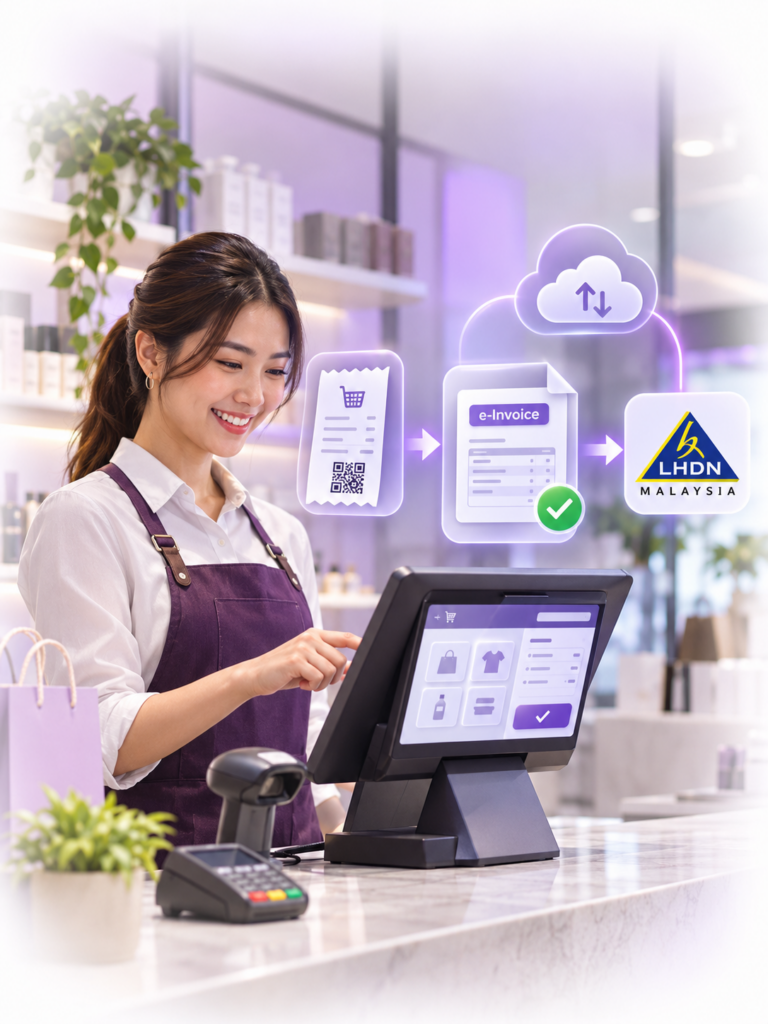
AutoCount POS 5.0 supports relevant LHDN e-Invoice workflows through the AutoCount e-Invoice Platform (AIP).
Consolidated e-Invoice
Support applicable consolidated e-Invoice preparation and submission for eligible business-to-consumer transactions.
Customer e-Invoice Requests
Where supported, customers can scan a QR code on their receipts and provide the relevant information to request an individual e-Invoice.
Connected Submission Process
Use supported AutoCount e-Invoice functionality to prepare and submit relevant transaction information to LHDN MyInvois.
The appropriate workflow depends on the transaction type, business requirements and applicable LHDN rules.
Oktrix can help review your POS configuration and the supported e-Invoice processes required for your business.
The system must be configured correctly. A compatible product setup does not automatically guarantee that every transaction meets the applicable tax requirements.
Know What's Happening Across Your Sales Counters
A POS system captures valuable information about business transactions.
AutoCount POS provides reporting and control functions that help owners and managers review daily operations and identify areas requiring attention.
Daily Sales Reports
Review relevant counter activity, sales totals and closing information.
Sales Performance Analysis
Analyse sales information by relevant items, dates, outlets or other available reporting dimensions.
Cashier Activity
Review authorised cashier transactions and applicable operational records.
Promotion & Discount Reports
Monitor selected discounts, promotions and other relevant transaction adjustments.
User Access & Audit Trail
Apply relevant user permissions and review supported activity records for better operational control.
Mobile Sales Dashboard
Explore AutoCount's supported eDashboard functionality for reviewing selected outlet sales information on compatible mobile devices.
From everyday counter transactions to management reporting, gain a clearer picture of retail and F&B performance.
Reports, eDashboard availability and security functions depend on the selected edition, applications and setup.
The Right POS Setup Depends on How Your Business Operates
For businesses that need retail checkout, barcode scanning, pricing, stock control, promotions and customer management.
Retail POS Setup
For businesses that need retail checkout, barcode scanning, pricing, stock control, promotions and customer management.
F&B POS Setup
For businesses that need restaurant ordering, table management, kitchen communication and supported dining or takeaway workflows.
Multi-Outlet POS Setup
For businesses that operate multiple counters or locations and need more coordinated sales, stock and reporting information.
AutoCount POS offers different editions and optional modules.
The final configuration should take into account your daily transactions, hardware, outlets, inventory requirements, accounting integration and budget.
A POS System Should Fit Your Daily Operations
Choosing POS software is only the beginning.
The system needs to be configured around the way your staff sell, receive payments, manage stock, handle orders and close counters.
Oktrix helps businesses plan and implement AutoCount POS according to their operating requirements.
Business Requirement Consultation
We review your retail or F&B workflow, outlet structure and operational challenges.
POS Edition & Module Selection
We help identify the suitable POS edition, applications and optional modules.
POS Hardware Planning
We review relevant requirements for receipt printers, barcode scanners, cash drawers, terminals and other compatible devices.
Setup & Configuration
We configure agreed items, payment methods, users, permissions, pricing and applicable POS functionality.
User Training
We guide cashiers, supervisors and relevant back-office users through their day-to-day processes.
Ongoing Support
We provide support based on the agreed implementation scope and help review additional requirements as the business develops.
From POS Requirements to Daily Operations
A successful POS implementation requires the right software, appropriate equipment and well-prepared operational processes.
1. Discover
Review your business type, outlets, counter operations, products, existing systems and required workflows.
2. Recommend
Identify the suitable AutoCount POS edition, modules, hardware and integration requirements.
3. Prepare
Confirm the agreed setup, item information, pricing, users and relevant business configuration.
4. Configure
Install and configure the agreed POS system, devices, transaction settings and supported connections.
5. Test & Train
Validate relevant sales, payment, printing, reporting and back-office processes before training users.
6. Go Live & Support
Prepare the system for daily operations and provide support according to the agreed scope.
Frequently Asked Questions About AutoCount POS 5.0
What is AutoCount POS 5.0?
AutoCount POS 5.0 is a point of sale solution for retail and food and beverage businesses.
It provides cashier transaction processing and supported retail, restaurant, inventory, reporting and back-office functions depending on the selected configuration.
Is AutoCount POS suitable for retail businesses?
Yes. AutoCount Retail POS supports functions such as checkout, barcode scanning, pricing, promotions, memberships, returns and relevant inventory processes.
Available functionality depends on the selected edition and modules.
Does AutoCount POS support restaurants and cafés?
Yes. AutoCount has F&B POS functionality designed for restaurant, café and other food service operations.
Supported features include table management, orders, kitchen communication and applicable eWaiter or QR ordering options.
Can AutoCount POS handle multiple outlets?
Yes. AutoCount POS supports integration with AutoCount Accounting for relevant sales, inventory and accounting processes.
This requires the appropriate accounting modules, licensing and configuration.
Do I need AutoCount Accounting to use AutoCount POS?
AutoCount POS includes back-office components, and supported accounting integration is an important part of its product architecture.
Whether additional Accounting licences or modules are needed depends on the POS package and your accounting requirements. Oktrix can confirm the suitable setup before quotation.
Does AutoCount POS support LHDN e-Invoice?
Yes. AutoCount POS 5.0 supports relevant LHDN e-Invoice workflows through the AutoCount e-Invoice Platform.
Supported functionality includes applicable consolidated e-Invoices and customer QR-based e-Invoice requests.
Can AutoCount POS process e-wallet payments?
AutoCount POS supports selected e-wallet and payment gateway integration options.
The availability of specific providers and payment methods depends on current integrations, hardware and merchant arrangements.
Does AutoCount POS support inventory management?
Yes. AutoCount POS offers relevant inventory management capabilities, including item records, stock quantities, movements and reporting.
Advanced functions depend on the selected edition or optional modules.
Can AutoCount POS work without an internet connection?
Supported POS configurations can continue selected counter operations during temporary network interruptions.
Synchronisation with head office or other connected systems resumes according to the configured processes when connectivity becomes available.
Can AutoCount POS manage customer loyalty and promotions?
Yes. Retail POS supports relevant membership, loyalty, discounts and promotional functionality.
The exact capabilities depend on the selected product configuration.
Does AutoCount POS support barcode scanners and receipt printers?
Yes. AutoCount POS can work with compatible POS equipment such as barcode scanners, cash drawers, receipt printers and terminals.
Hardware compatibility should be verified before purchase or installation.
What is the difference between AutoCount POS 5.0 and PalmPOS?
AutoCount POS 5.0 focuses on retail and F&B counter operations with relevant back-office functionality.
OneSales PalmPOS is a separate handheld/mobile POS solution with its own subscription plans, features and deployment model.
Oktrix can review your requirements and recommend the more suitable option where available.
Is AutoCount POS cloud-based?
AutoCount POS 5.0 uses an installed POS and back-office architecture, with supported outlet synchronisation and cloud-connected services.
It should not be confused with the separately offered cloud-based OneSales POS or PalmPOS solutions.
Does AutoCount POS support barcode scanners and receipt printers?
Yes. AutoCount POS can work with compatible POS equipment such as barcode scanners, cash drawers, receipt printers and terminals.
Hardware compatibility should be verified before purchase or installation.
Can AutoCount POS support large retail operations?
AutoCount POS can be considered for businesses with multiple outlets, counters, users and more complex operational requirements.
Suitability depends on transaction volume, required functionality, infrastructure and the selected software configuration.
How much does AutoCount POS cost?
Pricing depends on the selected edition, number of terminals or outlets, optional modules, hardware, implementation and support requirements.
Oktrix can assess your requirements and prepare a suitable proposal.
Does Oktrix provide AutoCount POS implementation and training?
Yes. Oktrix provides requirement consultation, system setup, configuration, user training and relevant support based on the agreed project scope.
How can we get started?
Tell us whether your business operates in retail or F&B, how many outlets or counters you manage and which daily processes you want to improve.
Oktrix can recommend the next step and discuss a suitable AutoCount POS solution.